Depots and vehicles
A depot houses vehicles and connects them to lines. Each line uses a compatible depot type.
When this helps
An open line that requires a depot cannot run without a connection and compatible vehicles. A new depot gives more flexibility but costs money for construction, connection and vehicles. Check an existing compatible connection and its spare space before investing.
Step by step
- Choose Depot → New depot, select Metro depot, Tram depot, Commuter rail depot or Bus garage, and click land. High-speed rail uses a rail depot.
- While drawing, check the suggested depot and choose another eligible depot in the depot selector. The game compares a direct link to the nearest reachable depot with a junction through a shared line of the same type and chooses the cheaper option. For an open line, click it and use Connect Kadıköy too at the bottom of the panel. The link is paid for once; a line can connect to multiple depots.
- Open Vehicles with V, select the type, depot and open line at the top, and press Buy under a vehicle. To assign a waiting vehicle, open My vehicles, select its type and a connected open line above, then press Assign to line on the vehicle. Check the assigned count in the line panel.
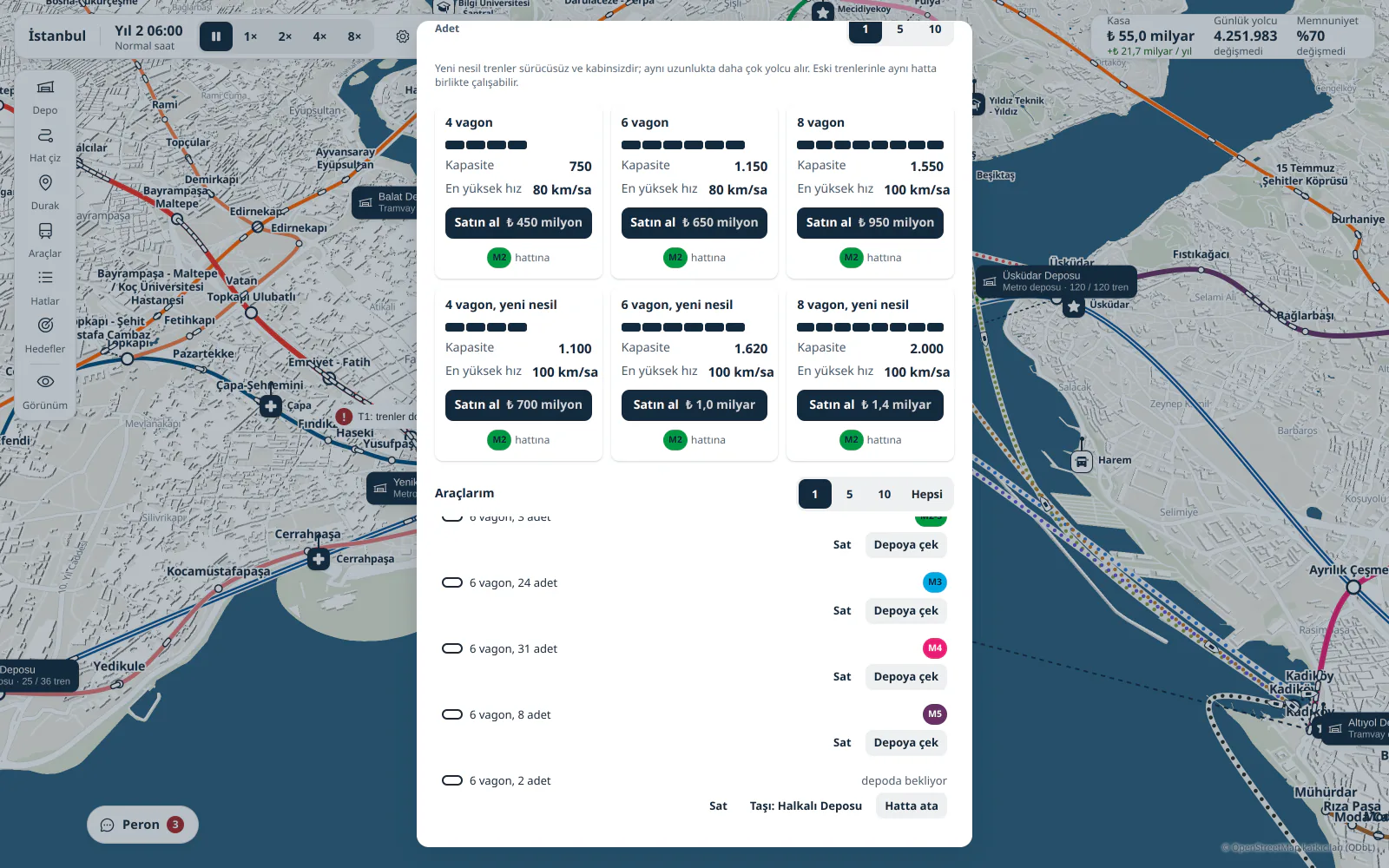
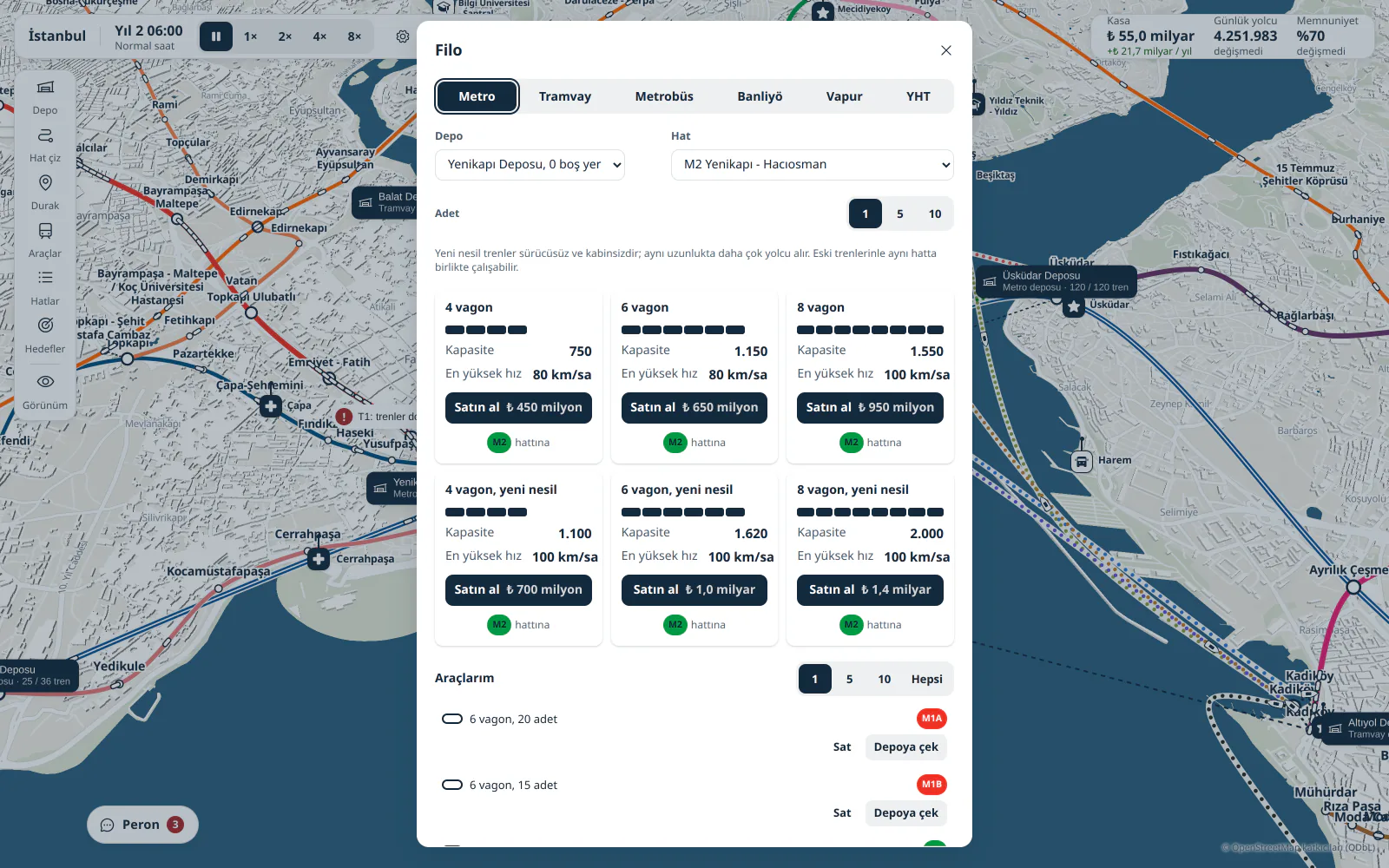
- Use Send to depot to withdraw a vehicle, Move to move it to another depot, or select another eligible line and assign it. Use Overhaul on an old vehicle or Overhaul all in the line panel.
Limits and numbers
A depot connection can be at most 15,000 m long. The limit is 16 depots per type, with available slots increasing as you progress. Initial capacity is 12 places; different vehicles can take different amounts of space. Expansion costs money. Bus garages serve buses, while rail depots serve commuter and high-speed trains. Ferries need no depot; funiculars need no separate vehicles.
Common errors
The Vehicles window explains when the selected depot has no connected line and points to Connect at the very bottom of the line panel, or moving the vehicle to another depot. Even an open, connected line may be absent from the list if the selected type or depot is wrong. For The depot is full, expand it or select a compatible depot with space. If cash is insufficient, postpone the purchase or reduce the quantity.
Tips
- Wait for construction to finish: a line still being built is not an open line in the assignment list.
- In My vehicles, select the destination line above before pressing the vehicle row's assignment button.
- For a move, inspect the destination depot name and free space on the row's move control.
- Reserve both depot space and money for the extra vehicles needed by a shorter interval.