Create a transfer
Lines can connect at a shared station, by walking between nearby stations, or through a transfer tunnel.
When this helps
Transfers combine the areas reached by separate lines into one journey. A shared station can provide a direct connection; separate stations add walking and waiting time, and a tunnel costs money. A mere crossing of lines is not a transfer, so check the station panel.
Step by step
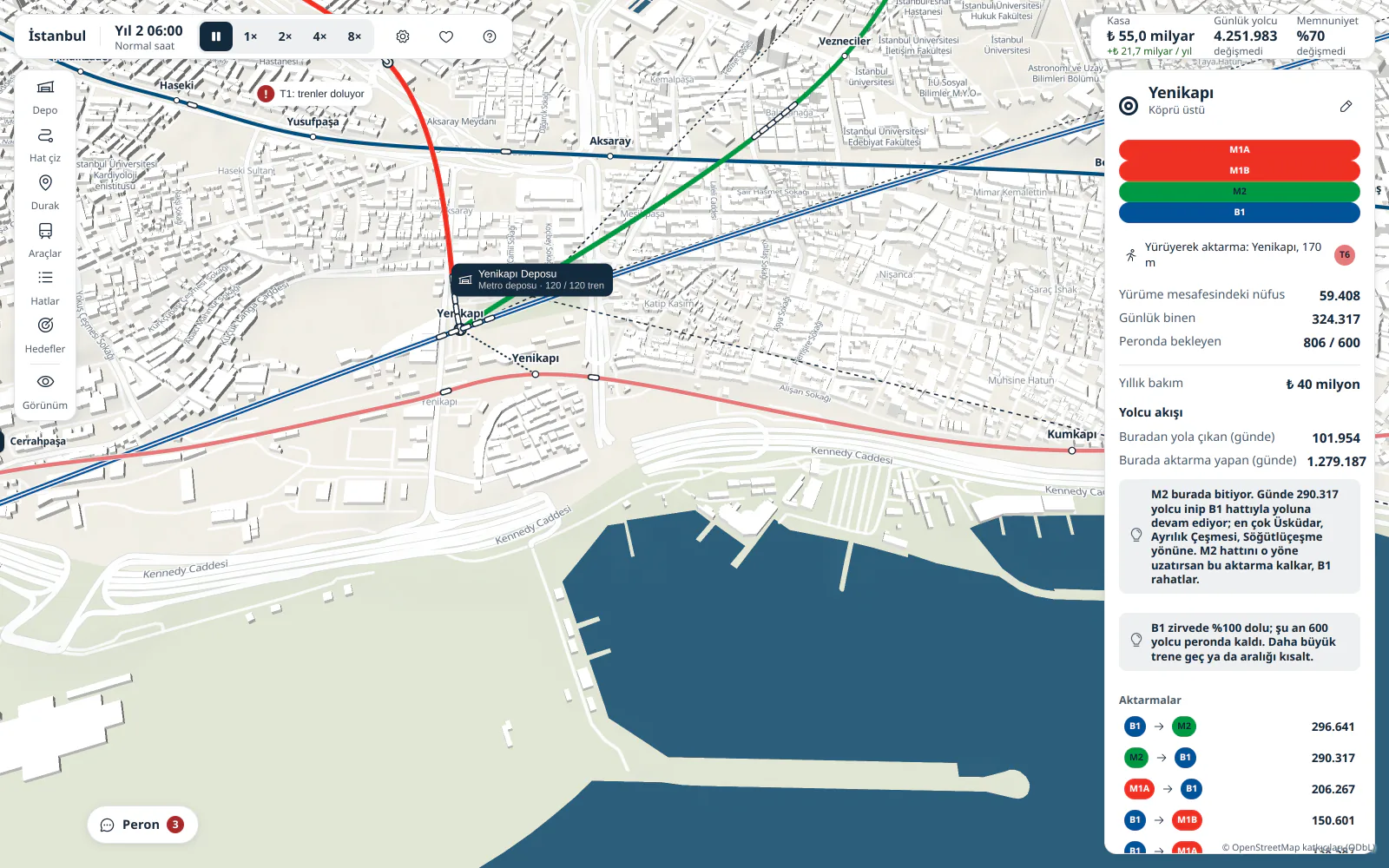
- While drawing a new line with Draw line, move the pointer near an existing station. When the transfer hint appears, click it so the new line shares the station. Place the remaining stops and press Build. A shared station appears as a double ring.
-
Lines merely crossing do not create a transfer. To share a station used only by rail lines with a tram or bus rapid transit line, click directly on the station.
-
Separate stations close enough connect automatically by walking, shown as a dotted line. The normal limit is 250 m, or 400 m for a ferry pier. Click a station to see walking connections in its panel.
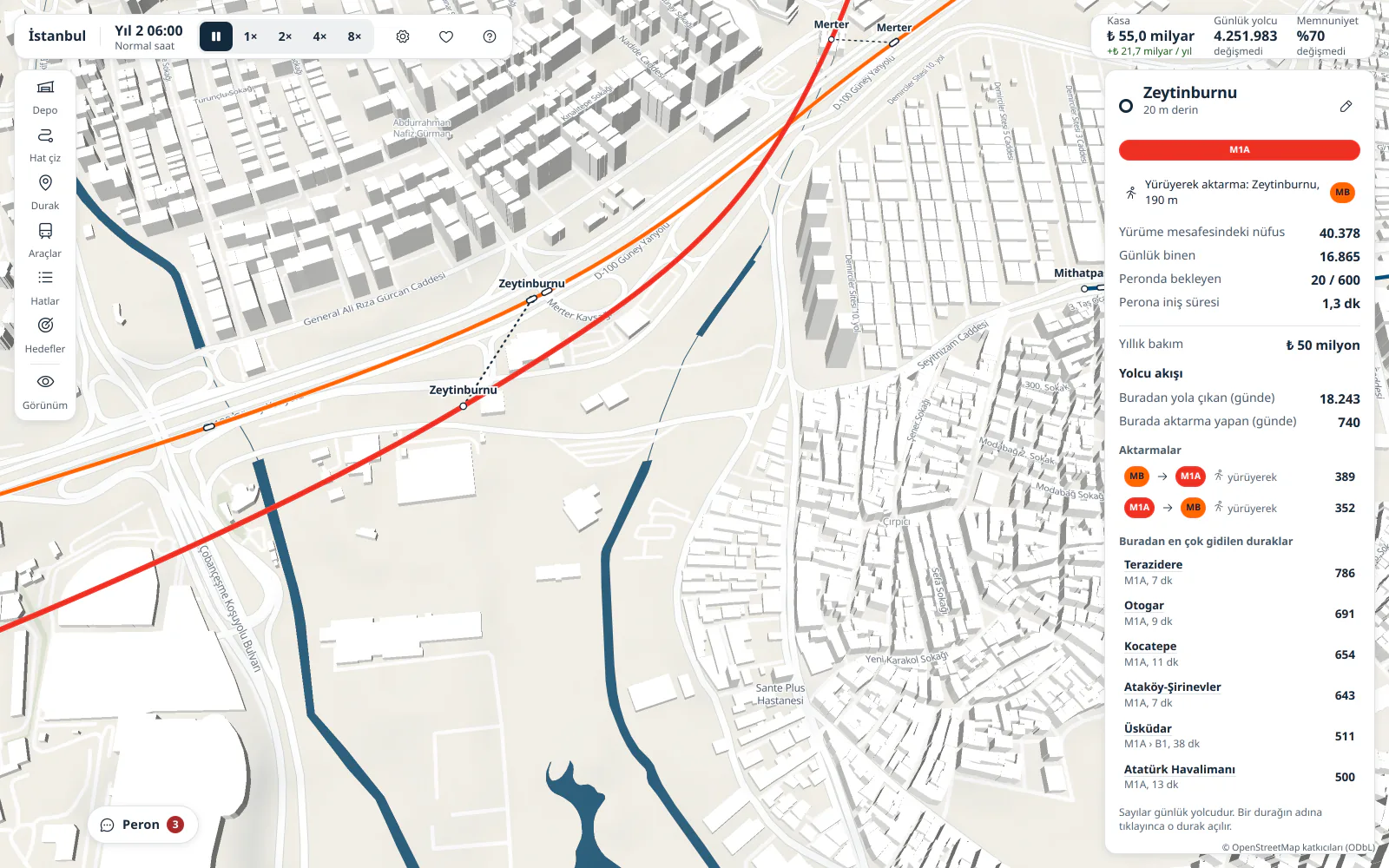
- For a suitable station beyond walking distance but no farther than 800 m, choose Open transfer tunnel in the station panel, select the other station, inspect the cost and confirm.
Limits and numbers
The walking limit is 250 m, or 400 m when one end is a ferry pier. An eligible tunnel can be up to 800 m long; limits are 4 per station and 256 across the network. Walking time is distance divided by 80 m/min, plus platform-depth and transfer time.
Common errors
If both stations are on the same line, choose a pair serving different lines. If asked to choose another station, the same station was selected twice. If a tunnel already exists, use it. A tunnel cannot cross water; select another pair that avoids it. Check funds and existing tunnels when a cost or count limit appears.
Tips
- Verify whether the draft shares a station or merely crosses the other line.
- Do not budget for a tunnel where a walking connection already exists.
- Deep platforms and infrequent services can make a transfer route slower.
- On touch devices tap the target station and inspect the selected connection before confirming.