Edit a line
You can extend an open line at either end, add a stop between existing stops, or remove part of it.
When this helps
Extending an open line reaches new areas; inserting a stop changes access for existing riders. Each added stop and section can increase costs, travel time and vehicle needs. Inspect the refund in the confirmation before removing a line or section: the action cannot be undone.
Step by step
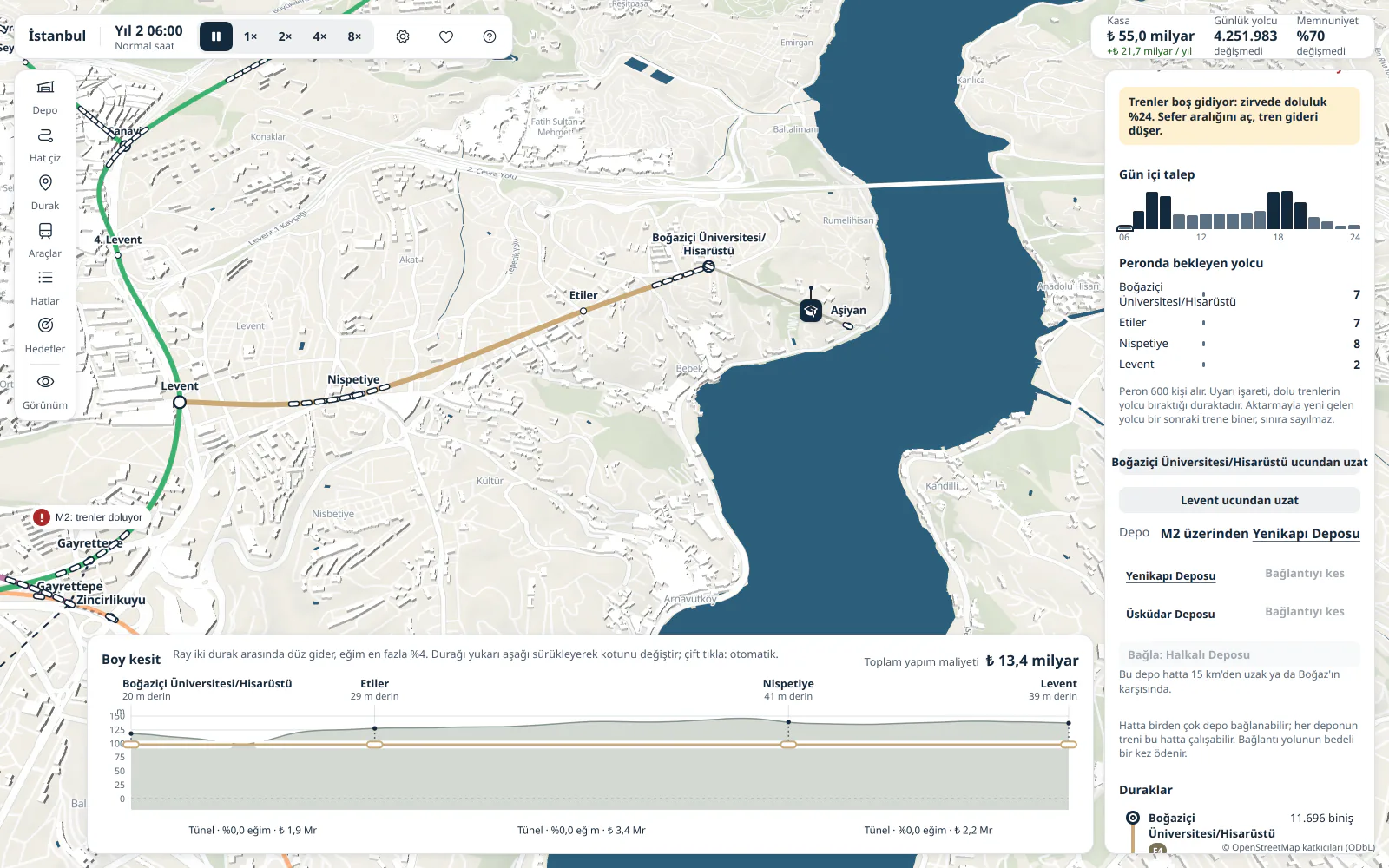
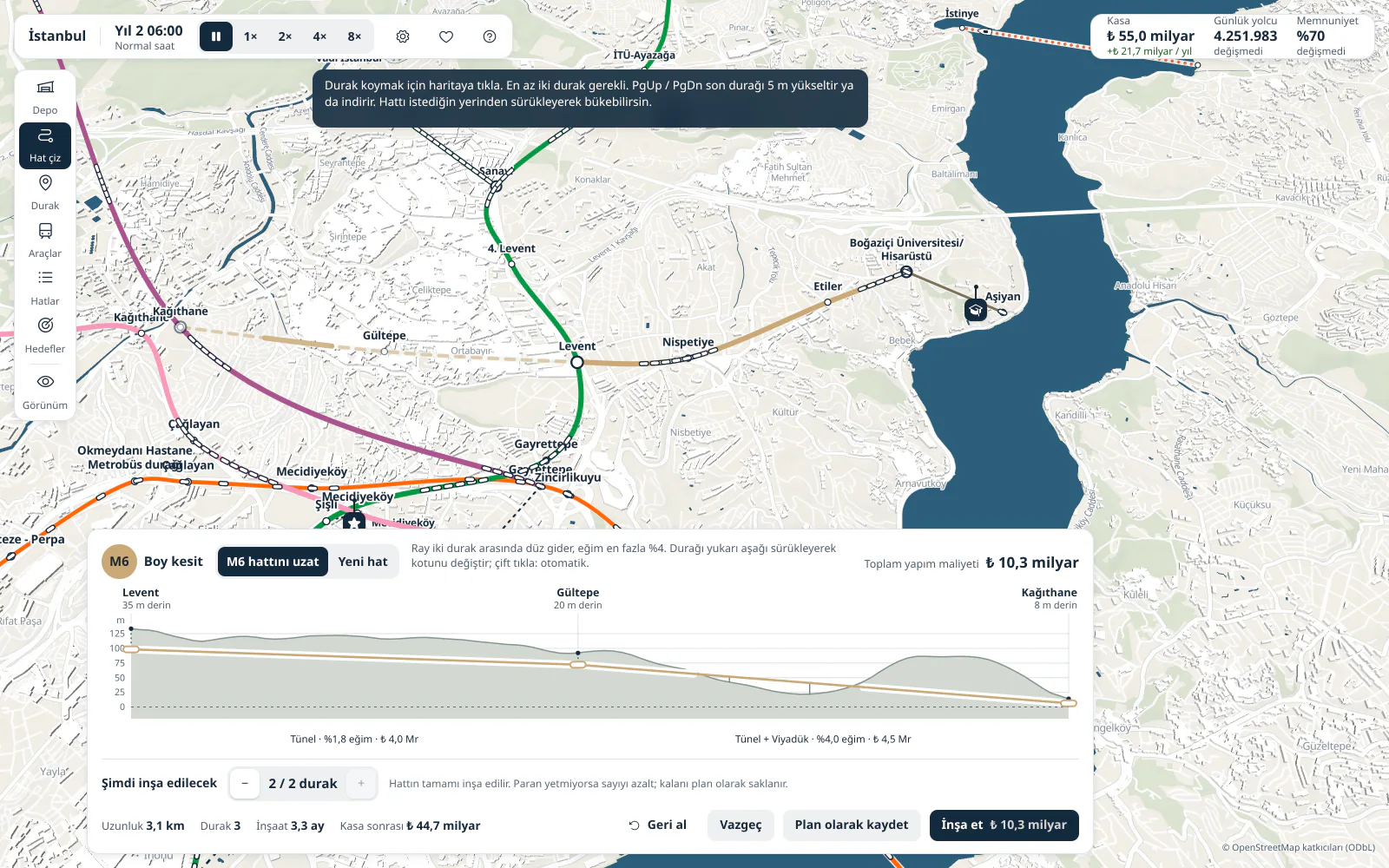
- Click the line and use Extend from Kadıköy at the bottom of its panel to choose an end. Click new stops on the map and press Build. The open section keeps operating during construction.
-
To add a stop between others, choose Station and click the line. During drawing, drag a stop to move it. An open stop cannot be moved on the map; use its station panel level controls and Rebuild to change its level.
-
Click a station and choose Remove from M1, or choose which part of the line to keep when shortening it. To remove the entire line, choose Remove line and confirm Remove; the confirmation shows the refund.
-
In the draft, use Save as plan to save without building. Reduce Build now to construct only part; the remaining stops stay in the plan. Check the total construction cost and cash remaining.
Limits and numbers
Metro stops must be at least 400 m apart. A line under construction cannot be extended; first remove a section to open a loop. The refund for a built section is 25% of its calculated cost. The remaining line must retain its depot connection, whose distance limit is 15,000 m.
Common errors
If at least two stops must remain, keep more stops. If a stop connects the line to a depot, find an edit that preserves the connection. If the line must be open and free of construction before editing, wait for the works to finish. Move stops apart when they are too close; adjust levels or placement when the resulting section is too steep.
Tips
- Extend from the end where demand lies; choosing the other end starts a different draft.
- Use Undo or Ctrl+Z for the last draft change; use the button on touch devices.
- Save as plan keeps a draft for comparison without building it.
- A new stop and longer line can change the cycle, so recheck required vehicles after opening.