Build your first line
A working line needs a depot, a line and vehicles.
When this helps
A first line connects nearby sources of demand and starts generating riders and revenue. It cannot run until construction finishes, and the depot, connection and vehicles need their own budget. A short section that can actually operate protects cash while the network gets started.
Step by step
-
Press Depot, choose New depot and Metro depot, then click a place on land.
-
Choose Draw line and Metro. Click the map to place at least two stops in order. Metro stops must be at least 400 m apart.
-
In Long section, click a section to switch between Tunnel and Surface; drag a stop up or down to change its level. Check the total cost and cash remaining.
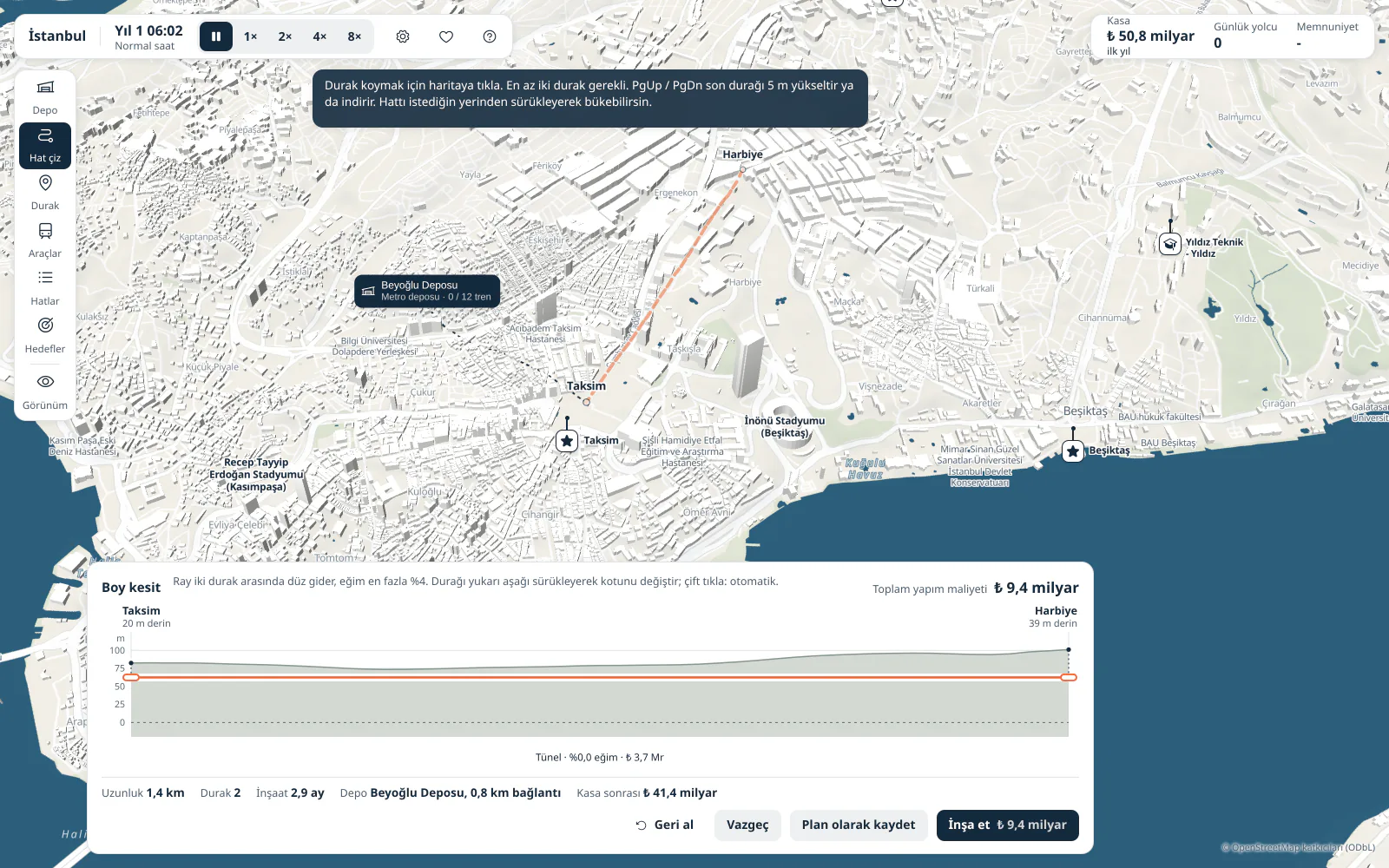
- Check the depot selected for the line and press Build. You can speed up time while construction proceeds; wait for the line to open.
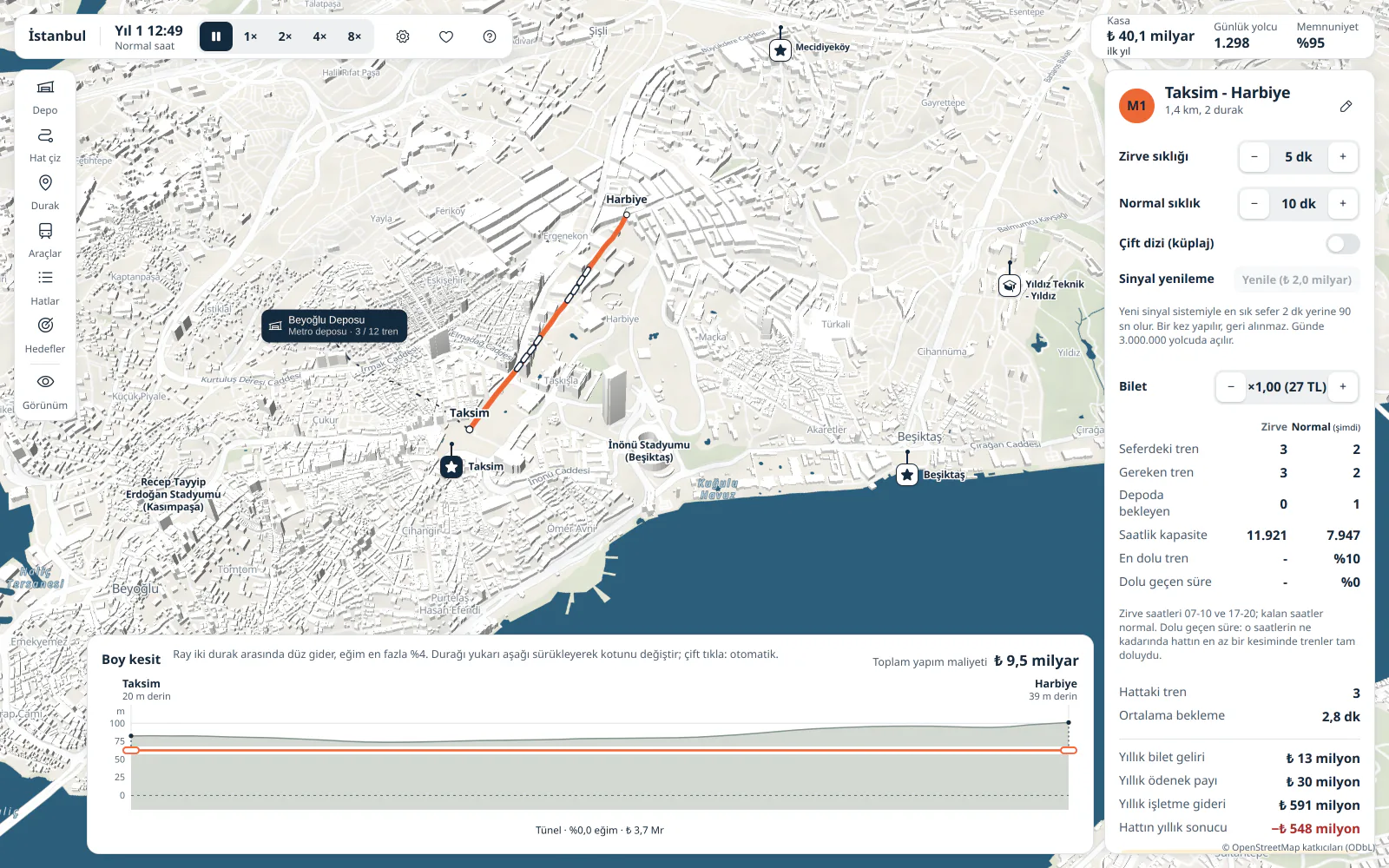
- Open Vehicles with V, select the depot and open line, and press Buy under a train. Click the line and set Peak frequency and Off-peak frequency. Check how many trains are needed.
Limits and numbers
At least two stops are required; neighbouring metro stops must be at least 400 m apart. The depot connection cannot exceed 15,000 m. Default peak and off-peak intervals are 5 and 10 minutes; actual service depends on the vehicles available.
Common errors
If the game asks for at least two stops, add a second. If the depot cannot be placed on water, choose land. If asked to choose a depot, build a compatible metro depot and return to the draft. If cash is insufficient, reduce the total or inspect staged construction. Move stops apart if they are too close.
Tips
- Consider both walking access and demand between the two stops.
- The construction total includes sections, stations and the depot link; reserve separate money for vehicles.
- Save as plan keeps the draft without spending money.
- On touch devices tap the map to place stops; the undo button works without a keyboard.